Trade the hoursthat matter.
Stop rebuilding your market context every morning. MX Sessions automatically maps the sessions and key reference levels that matter — directly on your NinjaTrader chart.
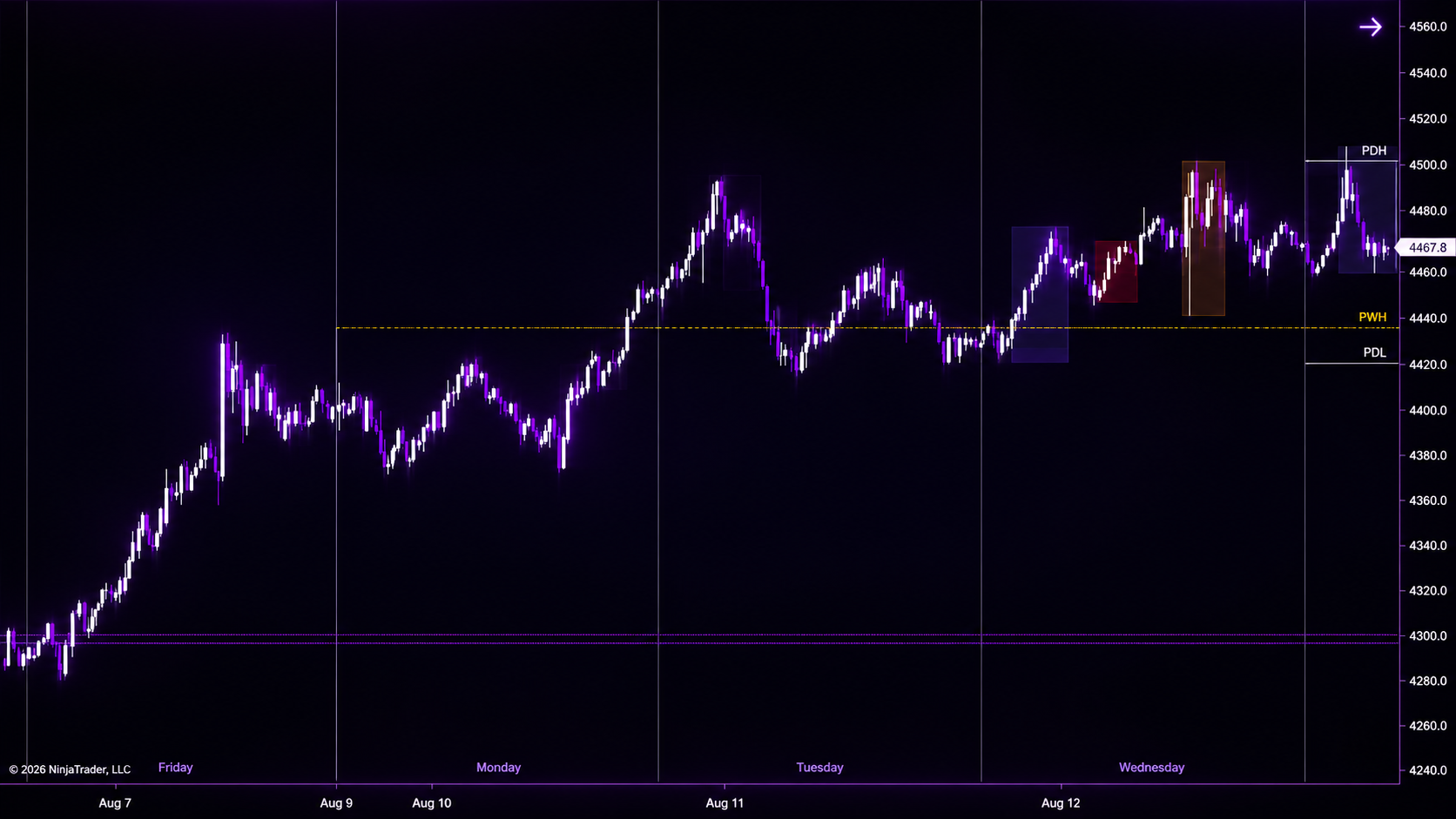
Context Before Execution
Markets don't move the same way throughout the day.
MX Sessions keeps the trading windows and reference levels that shape your market context visible automatically — so you can spend less time rebuilding your chart and more time focused on the trade.
SESSION CONTEXT
Asia • London • New York
DAILY LEVELS
PDH • PDL • Previous Close
WEEKLY LEVELS
PWH • PWL
Session Context
See the trading dayat a glance.
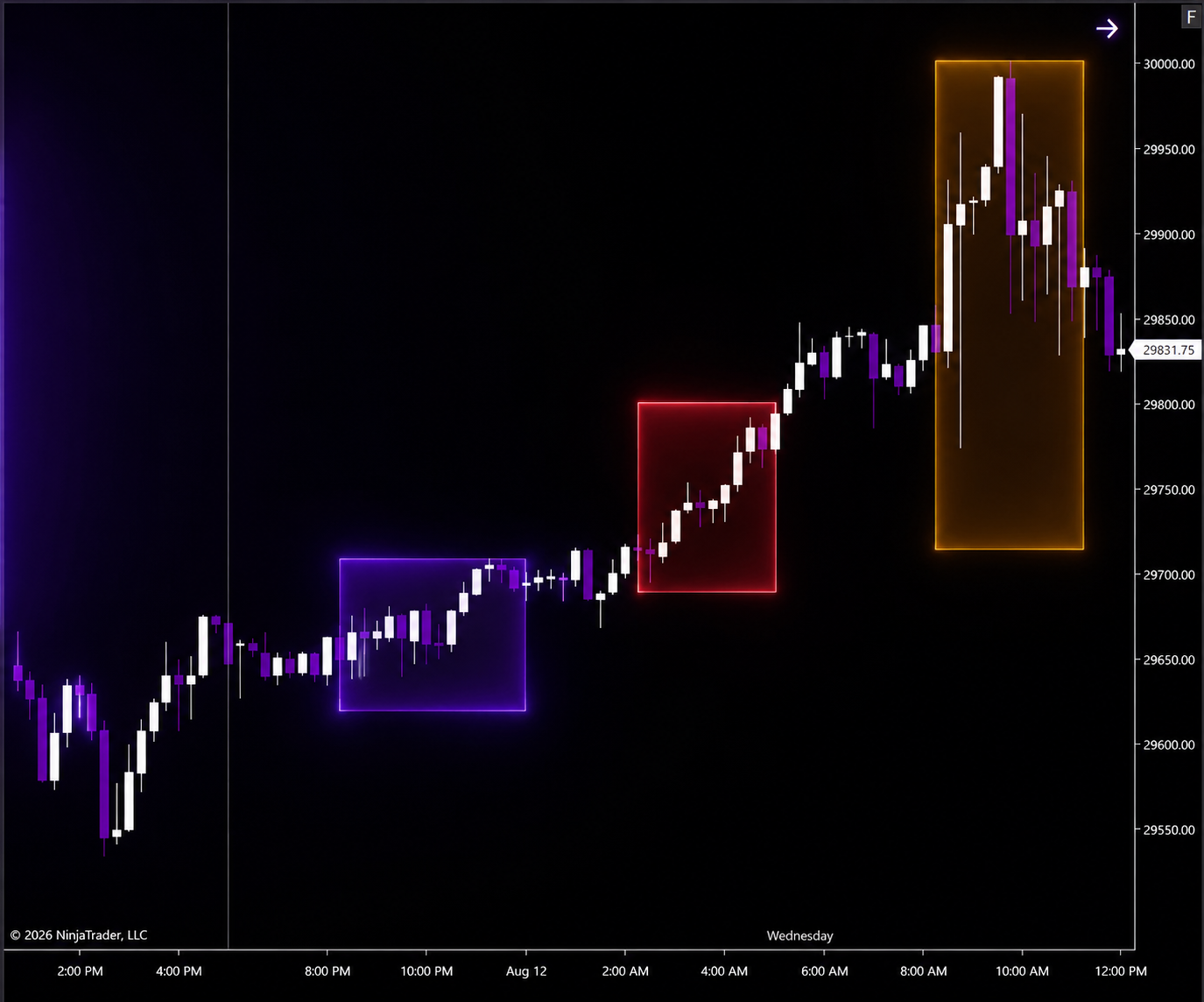
MX Sessions automatically maps the three major trading windows directly on your chart — giving you an immediate view of where price traded during Asia, London and New York.
Session zones automatically expand from the session high to the session low, keeping the chart clean while preserving the price range that actually mattered.
Key Levels
The levels you check every day.Already there.
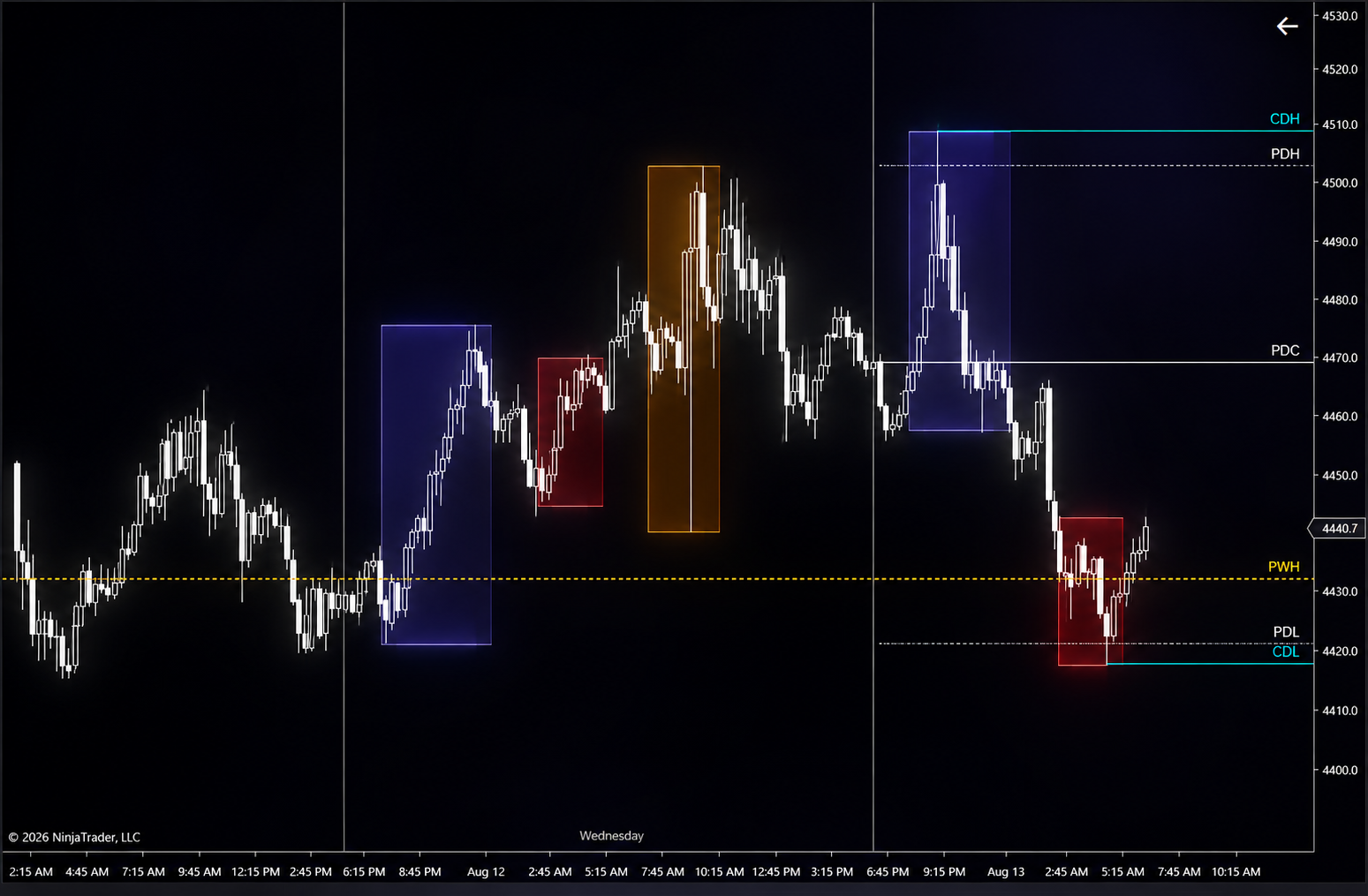
MX Sessions automatically maps the key daily and weekly reference levels traders monitor throughout the session — without rebuilding them by hand every morning.
Daily & Weekly Separators
Daily separator lines clearly divide each trading day, while the start of a new trading week is marked with a thicker separator line.
Dynamic Context
Know what is still in play.
Current Day High and Current Day Low update as the session unfolds, while swept levels can automatically change their appearance so you can immediately distinguish what still holds from what has already been taken.
FAQ
Everything youneed to know.
Straight answers about compatibility, customization, licensing and how MX Sessions works.
What platform does MX Sessions support?+
MX Sessions is built specifically for NinjaTrader 8.
Is MX Sessions a subscription?+
No. MX Sessions is a $199 USD one-time purchase with no recurring subscription fee. Applicable taxes are calculated at checkout.
Can I customize the session times?+
Yes. The standard session windows can be configured to fit your trading workflow.
Can I customize the colors and appearance?+
Yes. Session zones and chart elements can be customized so MX Sessions fits the way you want your chart to look.
How do I receive MX Sessions after purchase?+
MX Sessions is delivered digitally with installation instructions for NinjaTrader 8.
Does MX Sessions provide trade signals or place trades?+
No. MX Sessions is a market-context and charting tool. It does not generate buy or sell signals and does not execute trades for you.
Product Walkthrough
See MX Sessions in action.
Watch a full walkthrough of MX Sessions inside NinjaTrader 8 and see how the indicator maps sessions and key reference levels directly on the chart.
Your Chart. Already Ready.
Start every trading day withthe context already mapped.
Sessions, daily levels and weekly levels — automatically mapped directly on your NinjaTrader chart.